Un-pair a TimeTablet from an account

Last updated - Jul 18, 2025 at 3:10PM

Follow these steps to un-pair/disconnect a TimeTablet from an account:

  1. Swipe your master key card to the device to access the admin menu.

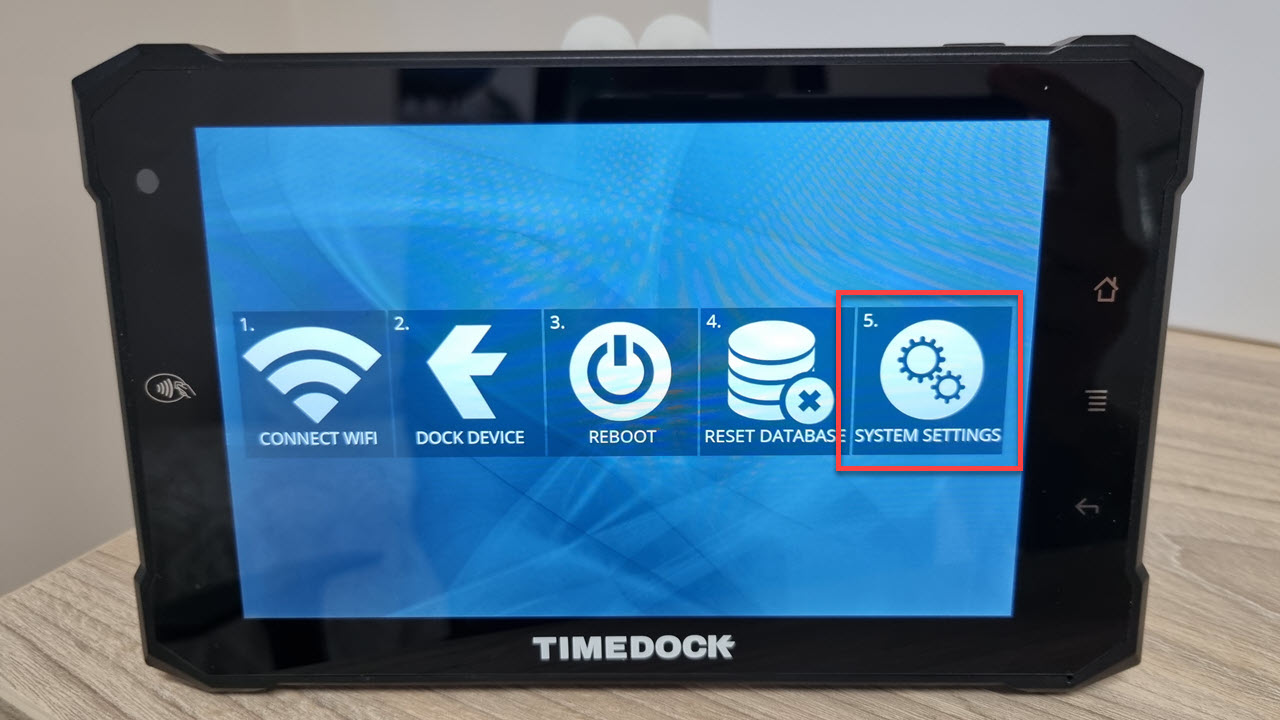
  2. Tap on the System icon. TimeTablet admin menu system settings

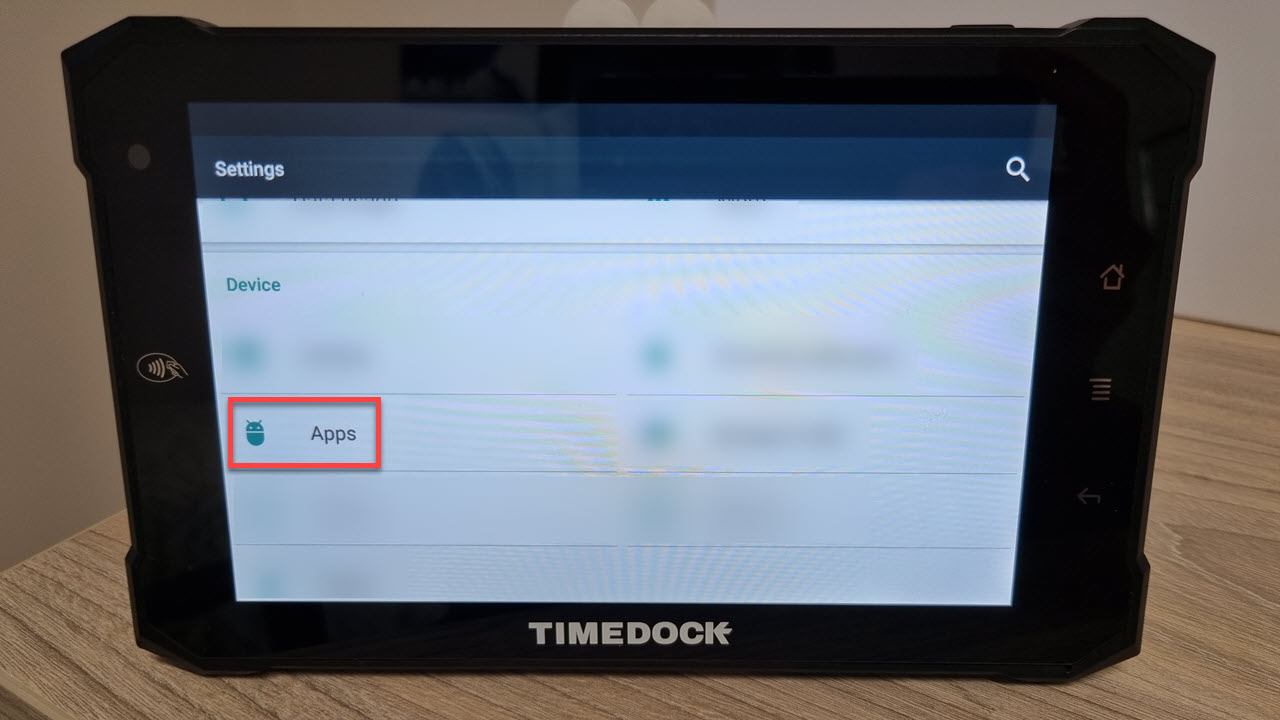
  3. Scroll down and tap on Device > Apps. TimeTablet system settings
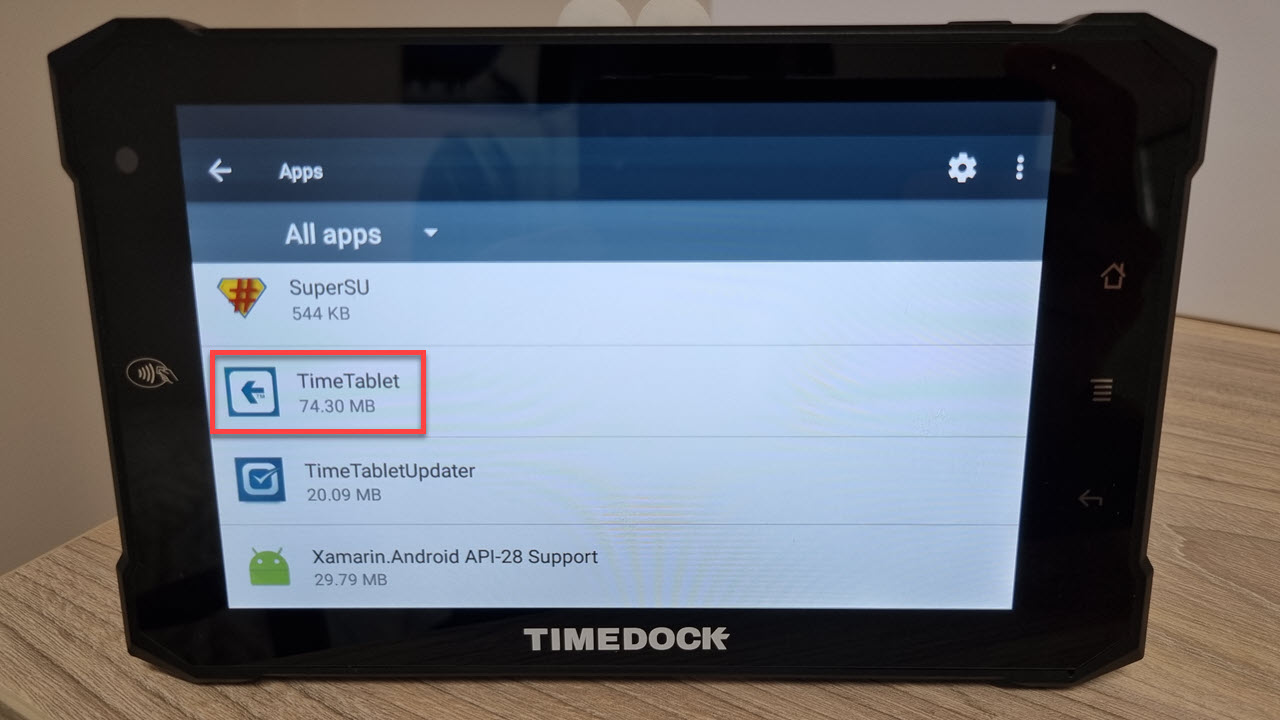
  4. Scroll to the bottom of the app list and tap on TimeDock. TimeTablet app list
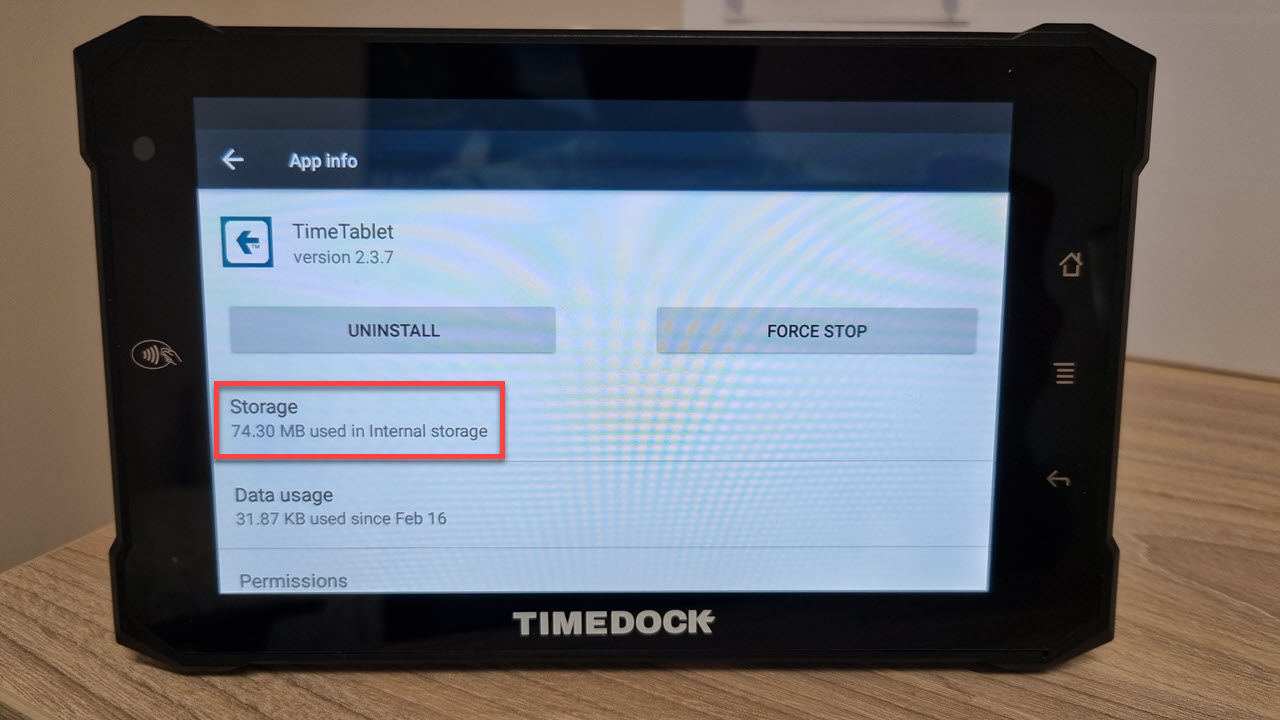
  5. Tap on Storage. TimeTablet app info

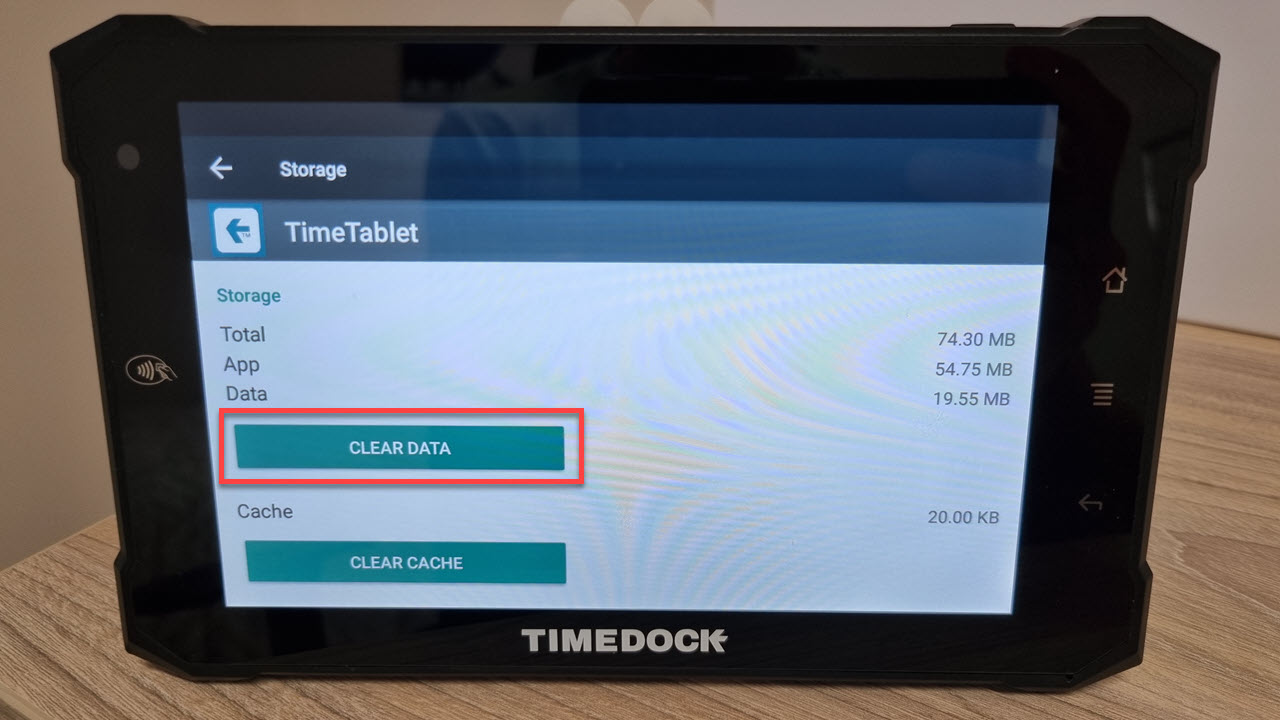
  6. Tap on Clear Data. A confirmation dialog will appear, tap OK. TimeTablet app clear data
What are your top reasons for TimeDock?


Which options best suit how you operate?


Tell us about your organisation

How do you track time today?

Which features are essential?


How can we contact you?

Last question!

Thanks — we've got your details. We'll be in touch within 1 work day

Next
Get in touch